
Choosing a camera for church livestreaming is not the same as choosing a camera for YouTube, corporate events, or film production. Churches have unique requirements — fixed sanctuary environments, volunteer operators, varying light conditions throughout a single service, and budgets that need to stretch across an entire AV system, not just one piece of equipment.
We set up livestream systems for churches across the tri-state area. The camera questions we hear most often boil down to two things: “What camera should we get?” and “How much do we need to spend?” The answer to both depends entirely on your church size, your streaming goals, and who is going to operate the system week after week.
This guide breaks down the best camera options for church livestreaming by church size — small, medium, and large — because a 100-seat church plant and a 2,000-seat sanctuary have fundamentally different needs. We also cover PTZ cameras (the most popular choice for churches), multi-camera setups, and the platforms you will stream to.
If you are starting from scratch with livestreaming, read our church livestream setup guide first — it covers the full equipment list, software, and cost breakdown.
Why Church Cameras Are Different
Before we get into specific recommendations, it is important to understand why church environments create challenges that most camera guides do not address.
Lighting changes constantly
A service might start with dim ambient lighting during worship, shift to bright stage lighting for the sermon, and then drop to near-darkness for a prayer moment — all within 90 minutes. Your camera needs to handle these transitions automatically or with minimal operator adjustment.
Operators are often volunteers
In most churches, the person running the camera is not a trained videographer. They are a volunteer who shows up 30 minutes before service. The camera system needs to be simple enough that a new volunteer can produce acceptable results after minimal training.
Sound is as important as video
Church livestream quality is judged primarily on audio. A $5,000 camera with a built-in microphone will produce worse livestream quality than a $500 camera with a proper audio setup. Budget accordingly — camera audio is almost never sufficient for church streaming.
The environment is fixed
Unlike event videography, your sanctuary does not change. This means you can optimize camera placement, preset shots, and lighting for one space. PTZ cameras excel in this context because you can program positions once and recall them every week.
Multi-camera is the standard for engagement
A single static wide shot will technically work, but online viewers expect visual variety. Even a two-camera setup (one wide, one tight on the speaker) dramatically improves the viewing experience.
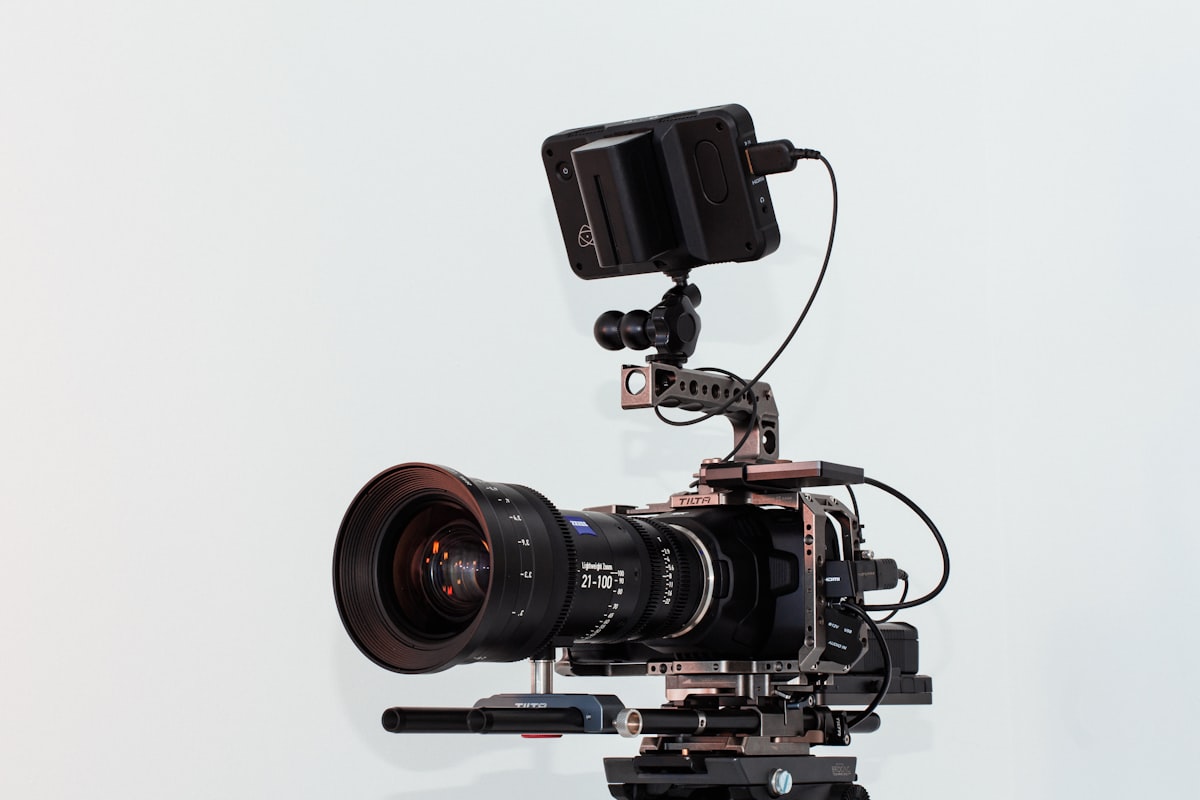
Cinema cameras like this are used in large church productions, but PTZ cameras are the standard for most churches. Photo by Unsplash
PTZ Cameras: The Church Standard
PTZ stands for Pan-Tilt-Zoom. These cameras sit on a mount, and an operator (or automation software) can remotely control the pan, tilt, and zoom to frame different shots without anyone physically touching the camera. For church livestreaming, PTZ cameras are the most popular option by a wide margin — and for good reason.
Why Churches Love PTZ Cameras
- Remote operation. One person in a booth can control multiple PTZ cameras from a single controller or software interface. No camera operators standing in the aisles.
- Preset positions. Program your common shots (wide sanctuary, pulpit close-up, worship team, baptismal, choir) and recall them with one button press. Volunteers can produce professional-looking streams by hitting preset buttons.
- Compact and unobtrusive. PTZ cameras are small enough to mount on walls or ceilings without being visually distracting in the sanctuary.
- Network connectivity. Most modern PTZ cameras support NDI (Network Device Interface), which lets you send video over your existing network cable — no SDI cable runs needed.
PTZ Camera Recommendations by Budget
Our recommendation: For most churches doing their first PTZ install, the PTZOptics Move 4K or Link 4K hits the sweet spot. The NDI support means you can run video over ethernet instead of pulling SDI cables, the presets are reliable, and the image quality is excellent for both streaming and recording. PTZOptics also has the deepest library of church-specific setup tutorials, which matters when your tech team is learning the system.
For churches on a tight budget, the PTZOptics Move SE at around $600–$800 delivers 1080p streaming quality that is more than sufficient for YouTube and Facebook Live. Most online viewers watch on phones — 1080p is indistinguishable from 4K at that screen size.
Camera Options by Church Size
This is where most camera guides fall short. A megachurch recommendation list is useless for a church plant meeting in a school cafeteria. Here is what actually works at each scale.
Small Churches (Under 150 Seats)
Budget range: $500–$3,000 for the camera system
Small churches typically have limited budgets, volunteer-only tech teams, and smaller sanctuaries where a single camera can cover the entire space.
Recommended setup: 1–2 PTZ cameras
Key considerations for small churches:
A single PTZ camera with 20x zoom can cover a small sanctuary from the back wall. Program 3–4 presets (wide, medium, close-up, worship area) and your volunteer operator taps buttons.
If you add a second camera, the OBSBOT Tail 2 with AI tracking can automatically follow the speaker without an operator — useful when you only have one volunteer available.
Audio is your priority investment. A $200 wireless lavalier on the pastor will do more for stream quality than a $2,000 camera upgrade. See our church livestream setup guide for audio recommendations.
Stream at 1080p/30fps. Small churches do not need 4K streaming — it requires more bandwidth, more processing power, and more storage with zero visible benefit for online viewers.
Medium Churches (150–500 Seats)
Budget range: $3,000–$10,000 for the camera system
Medium churches usually have a dedicated (if small) tech team, a larger sanctuary with a proper stage, and enough online viewership to justify investment in production quality.
Recommended setup: 2–3 PTZ cameras with a switcher
Key considerations for medium churches:
Three cameras is the sweet spot for visual variety without overwhelming your volunteer team. Wide (establishes the space), tight (speaker close-up), and a third angle (worship team, audience reactions, baptisms).
NDI over ethernet is the way to go at this scale. Run Cat6 cable to each camera position and power them via PoE (Power over Ethernet). No SDI cable runs, no power adapters at each camera location.
The ATEM Mini Extreme ISO records each camera input as an isolated file — invaluable for post-production and social media clips (which is what our Sunday-to-Social service is built around).
Invest in proper camera mounts. Wall-mounted or ceiling-mounted PTZ cameras look professional and stay out of sightlines. Tripod-mounted PTZ cameras in the aisles are a temporary solution that becomes permanent if you let it.
Large Churches (500+ Seats)
Budget range: $10,000–$50,000+ for the camera system
Large churches and multi-campus organizations need broadcast-quality production, often with dedicated staff (not just volunteers), larger sanctuaries with complex lighting environments, and content workflows that extend beyond the livestream itself.
Recommended setup: 3–5 PTZ cameras + 1–2 cinema cameras
Key considerations for large churches:
A hybrid approach works best: PTZ cameras for preset, repeatable shots (wide, stage left, stage right, balcony) and manned cinema cameras for dynamic shots (speaker tracking, audience pans, creative angles during worship).
Blackmagic Studio Camera 4K Pro is purpose-built for multi-camera live production. It connects directly to an ATEM switcher, has a built-in tally light, and the 7-inch screen lets camera operators see program/preview feeds.
At this scale, consider hiring a production company for initial system design and installation. The camera is only one piece — lighting, audio, switching, encoding, CDN, and network infrastructure all need to work together. That is what our production lab team does.
4K capture with 1080p streaming is the recommended approach. Record in 4K for high-quality archival and social media content, but stream in 1080p to reduce bandwidth requirements and ensure smooth delivery to viewers on varying internet connections.
Multi-Camera Switching: Making It Work
Multiple cameras only improve your stream if you can switch between them smoothly. Here is what you need to know.
Hardware Switchers
Software Switching (NDI-Based)
If your cameras support NDI, you can use software like OBS Studio (free), vMix, or Wirecast to switch between camera feeds on a computer. This eliminates the need for a dedicated hardware switcher.
OBS Studio is free, widely supported, and has a massive community. Most church tech teams start here.
vMix is the professional standard for NDI-based production. Handles more inputs, better performance, built-in recording and streaming.
Software switching requires a capable computer. Budget $1,500–$3,000 for a Windows PC that can handle multiple 1080p NDI inputs without frame drops.
Cutting Best Practices for Worship Services
Cut on action, not on a timer. Switch cameras when the speaker gestures, the worship leader starts a new section, or the congregation stands. Random cuts feel jarring.
Hold the wide shot when in doubt. If your volunteer operator is unsure, the wide shot is always safe. It is better to hold a wide shot for 30 seconds than to cut to a poorly framed close-up.
Use dissolves for worship, cuts for preaching. Slow cross-dissolves during musical worship feel intentional and worshipful. Hard cuts during a sermon feel dynamic and keep attention.
Program your PTZ presets religiously. Spend 30 minutes before the first service programming every shot you will need. Label them clearly: "PULPIT TIGHT," "WORSHIP WIDE," "BAPTISMAL," "CHOIR LEFT." Volunteers should never have to manually aim a PTZ camera during a live service.
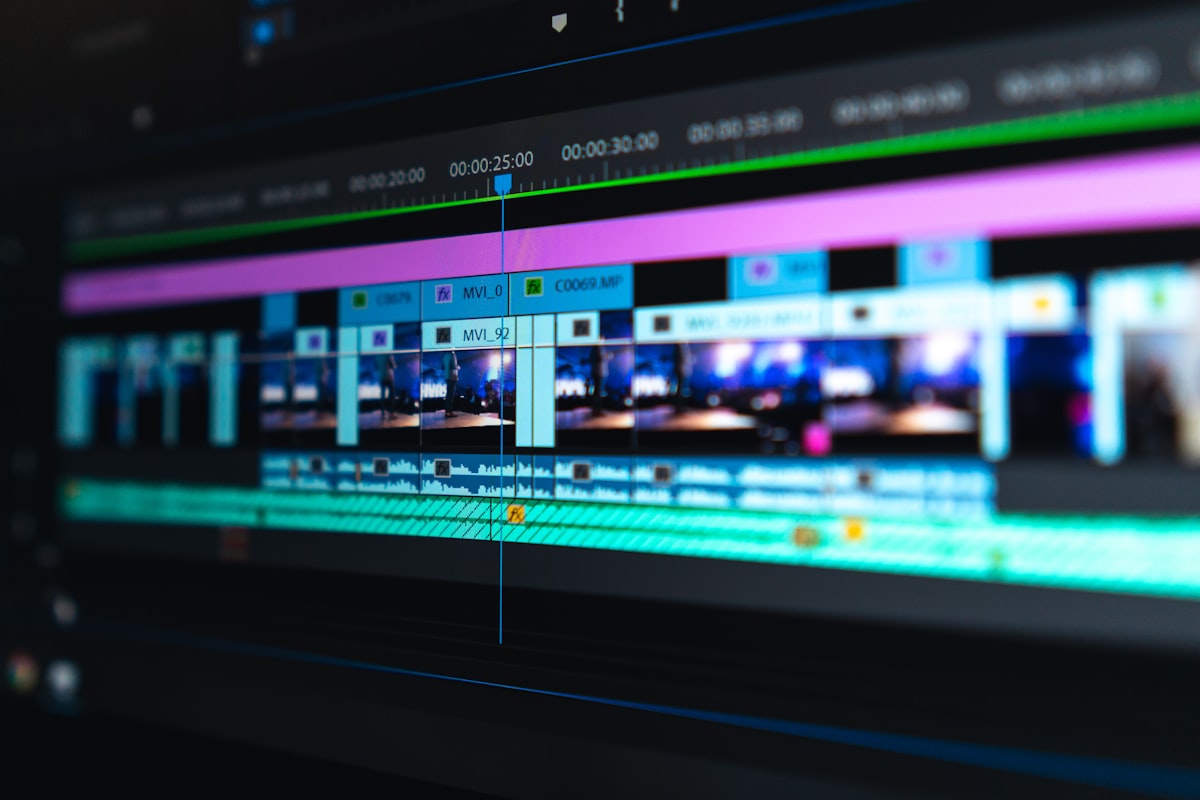
Your camera footage feeds into switching and streaming software before reaching viewers. Photo by Unsplash
Streaming Platforms: Where to Send Your Video
Your camera choice should work with whatever platforms your congregation watches. Here are the most common options for churches.
YouTube Live
- Best for: Discovery and archival. YouTube is the largest video platform and the most likely place new visitors will find your church online.
- Requirements: YouTube channel with livestreaming enabled (requires phone verification, 24-hour wait for first stream). Supports RTMP input from any encoder or software.
- Quality: Supports up to 4K/60fps. Adaptive bitrate handles viewer bandwidth differences automatically.
Facebook Live
- Best for: Reaching your existing congregation. Most church members are already on Facebook, and the notification system ensures they see when you go live.
- Requirements: Facebook Page (not personal profile) for persistent streams. Supports RTMP input.
- Quality: Supports up to 1080p/30fps. Lower quality ceiling than YouTube but sufficient for most churches.
Streaming to Multiple Platforms Simultaneously
Most churches want to stream to both YouTube and Facebook (and sometimes their church website) at the same time. Options:
Restream.io or Streamyard — Cloud-based multistreaming. Send one RTMP feed out, and the service distributes it to YouTube, Facebook, and other platforms simultaneously. $16–$49/month.
vMix — Can output multiple RTMP streams natively. No monthly fee beyond the software license.
OBS + plugins — OBS can technically output to multiple destinations, but it taxes your computer. A dedicated multistreaming service is more reliable.
For churches serious about online ministry, a church-specific platform like Resi or BoxCast offers features built for worship services: automatic recording, sermon clipping, embedding on your website, and live chat moderation. These typically run $100–$500/month.
When to Hire a Professional Production Team
Not every church needs to build an in-house production capability. Here are scenarios where hiring a professional team makes more sense:
You are launching livestreaming for the first time
and want the system designed and installed correctly from day one. A production team handles camera placement, cable runs, audio integration, encoder setup, and CDN configuration — then trains your volunteers to operate it.
You have a major event
— Easter, Christmas Eve, a building dedication, a guest speaker — where production quality needs to be higher than your weekly standard. A professional crew with cinema cameras, additional lighting, and experienced operators elevates the production.
Your volunteer team is burning out
If the same two people have been running AV every Sunday for three years and they are showing signs of fatigue, bringing in professional support — even temporarily — gives them a break and establishes a higher baseline that volunteers can maintain.
You want to repurpose content for social media, sermon series, and outreach
Recording a service is one thing. Producing clips, graphics, and social content from that recording is a different skill set entirely. Our Sunday-to-Social service takes the raw recording and turns it into a week's worth of social content.
For a deeper look at what production services cost, see our guide on church video production cost.
Budget Summary by Church Size
These are camera system costs only. A complete livestream setup also includes audio equipment, streaming software/services, internet bandwidth, and potentially lighting upgrades. Our church livestream setup guide covers the full picture.
Frequently Asked Questions
What is the best camera for a small church livestream?
For small churches, the PTZOptics Move SE ($600–$800) delivers reliable 1080p streaming quality with 20x zoom — enough to cover a small sanctuary from the back wall. If your budget allows, adding an OBSBOT Tail 2 ($350–$450) as a second angle with AI speaker tracking gives you a two-camera setup without needing a second operator. Pair either with a proper wireless lavalier microphone for the pastor — audio quality matters more than video quality for online viewers.
Do I need a 4K camera for church livestreaming?
No. Most church livestreams are delivered at 1080p, and most viewers watch on phones where the difference between 1080p and 4K is invisible. 4K cameras are worth the investment if you plan to record services for later editing (where cropping and reframing benefits from higher resolution) or if you want future-proof equipment. But streaming in 4K requires significantly more bandwidth, processing power, and storage. For most churches, 1080p at 30fps is the practical sweet spot.
How many cameras do I need for church livestreaming?
One camera works for getting started. Two cameras (wide + close-up) is the minimum for a professional-feeling stream. Three cameras (wide + speaker close-up + worship/audience angle) is the sweet spot for medium churches. Large churches with full production teams may use four to six cameras. More cameras means more complexity — start with two and add as your team’s capability grows.
What is the difference between PTZ and cinema cameras for church use?
PTZ cameras are remotely operated from a booth — ideal for churches with volunteer operators and fixed sanctuary layouts. Cinema cameras (Blackmagic, Canon, Sony) require a physical operator behind each camera and deliver higher image quality with shallower depth of field. Most churches use PTZ cameras exclusively. Large churches with dedicated production staff often use a hybrid: PTZ for fixed shots and one or two manned cinema cameras for dynamic angles.
How much should a church spend on livestream cameras?
Small churches can start effective livestreaming with $700–$1,500 in camera equipment. Medium churches typically invest $3,000–$7,000 in cameras. Large churches may spend $10,000–$25,000 or more on camera systems. Remember that cameras are one component — budget equal or greater amounts for audio, switching, and infrastructure. A $500 camera with great audio will outperform a $5,000 camera with built-in microphone audio every time.
Can I use a DSLR or mirrorless camera for church livestreaming?
You can, but it is not ideal for weekly use. Consumer DSLRs and mirrorless cameras overheat during extended recording (services often run 60–90+ minutes), require manual focus adjustment, need an operator present, and use battery power that may not last a full service. They also lack remote operation and preset capabilities. DSLRs work well for recording special events or as a secondary cinema-style camera in larger setups, but PTZ cameras are better suited for the weekly livestream workflow.
What internet speed do I need for church livestreaming?
For a single 1080p stream: minimum 10 Mbps upload speed (we recommend 20+ Mbps for reliability). For multistreaming to YouTube and Facebook simultaneously: 15–25 Mbps upload. For 4K streaming: 25–50 Mbps upload. Use a wired ethernet connection to your streaming computer — never rely on Wi-Fi for a live production. Test your speed at the actual streaming location, not just the office.
Should I use NDI or SDI for connecting cameras?
NDI (Network Device Interface) sends video over standard ethernet cables and is increasingly the standard for church installations. It is simpler to install (no specialty cabling), supports PoE (camera powered through the same cable), and is more flexible to rearrange. SDI (Serial Digital Interface) is the broadcast standard — more reliable over long cable runs, zero latency, and does not depend on network performance. For most churches installing a new system in 2026, NDI is the right choice. SDI is preferred for mission-critical broadcast environments where zero-tolerance for network hiccups is required.
Written by the Ruah Creative House production team — we design, install, and operate church livestream systems across New Jersey and the tri-state area. Need help choosing the right camera setup for your church? Contact our team for a consultation.